Who sees what, who was paid how much: on record.
Each staff member's record, pay and commission rate, advances and payments are kept in Coudy. Everyone signs in with their own user; roles decide who sees and changes what.
Sound familiar?
Well-known team troubles
Today: An advance goes into a notebook, or nowhere.
With Coudy: An advance goes on a voucher to the staff account.
Today: Everyone signs in with the same password.
With Coudy: Everyone has their own user and role.
Today: The till and balances are open to all.
With Coudy: Screens and reports open by permission.
Today: A leaver's account stays open.
With Coudy: The user is closed; their records stay in place.
How it flows
A person's place in Coudy
From the staff record to the user, from the role to the staff account: all in one place.
- 01
Staff
Role, pay and commission rate on the record.
- 02
User
Signs in with their own username and password.
- 03
Role
Which screens and reports they see.
- 04
Account
Advances and payments kept like a statement.
What you can do
Staff Records
Each person's role, contact details, start date, pay model and commission rate are kept on their record. Their advances and payments go to their own staff account; they sign in with their own user. The staff list shows everyone with their role and contact details on one screen.
- Role and contact details
- Start date
- Pay model and commission rate
Staff · Elif Kaya
- Role
- Sales Advisor
- Started
- 03.02.2025
- Phone
- 0532 *** ** 18
- Pay modelFixed pay and commission
- Commission rate3%
Userelif
Staff Accounts
Each staff member's advances, payments and balance are kept like a statement; payments go from the cash box or the bank on a voucher. Who was paid how much is one click away.
- Advances and payments
- Paid from the cash box or the bank on a voucher
- A balance kept like a statement
Staff Account · Elif Kaya
- Advance12 Oct · Main Cash Box₺2,000.00Advance
- Salary payment31 Oct · İş Bankası₺28,000.00Payment
- BalanceEnd of October₺0.00
Users and Roles
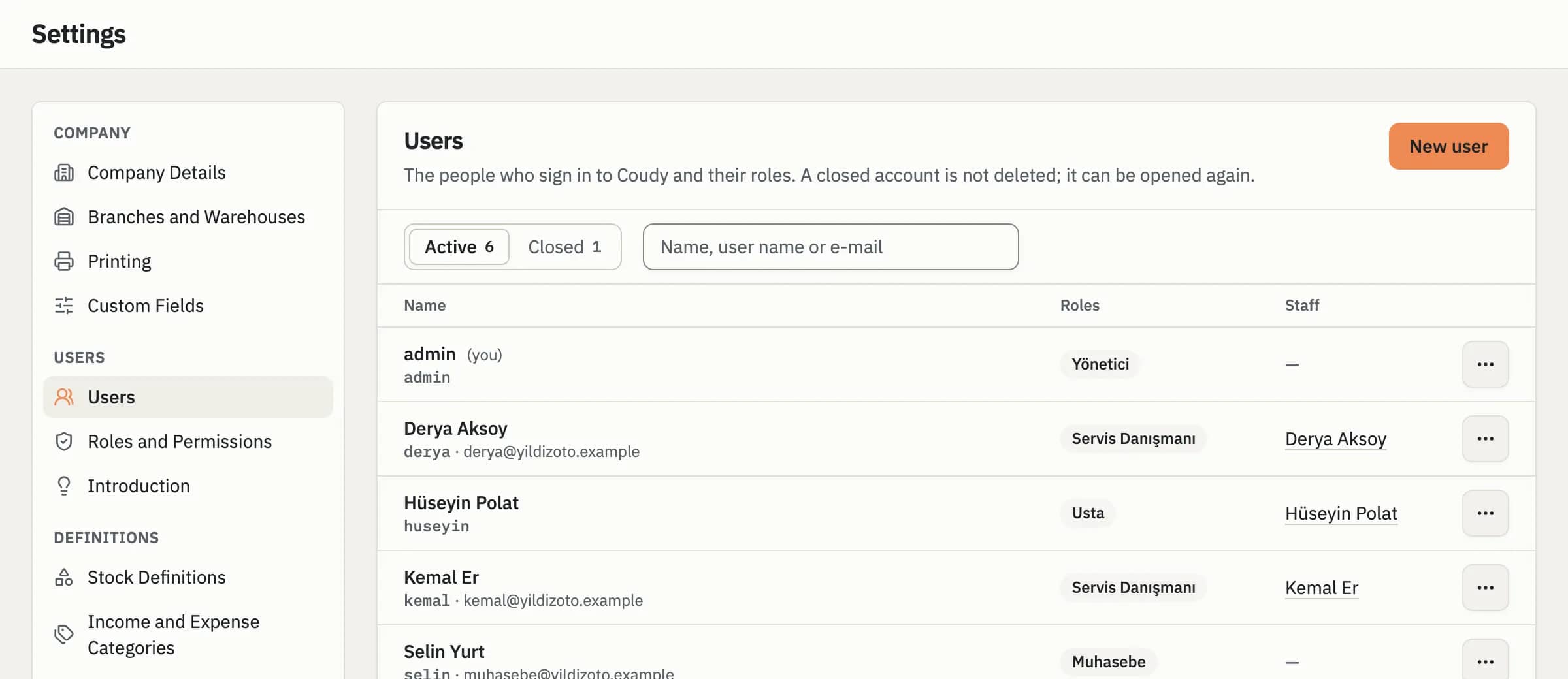
Everyone signs in with their own user. Roles grant permissions module by module, in plain words; one user can hold several roles. When someone leaves, their user is closed; their past records stay in place.
- Roles you define to fit your business
- Users are closed, never deleted
- Permissions are checked on the server
- Accounts lock for a while after failed sign-ins
Users
- adminAdministratorAdministrator
- Elif KayaelifSales
- Selin YurtselinAccounting
- Mert AydınmertClosed
Screen and Report Permissions
A user sees only the screens and reports their role allows; pay and commission details open with a permission of their own. Stock reports can be open while finance reports stay closed, for example.
- Permissions by screen and report
- A separate permission for pay and commission
- Permissions checked on the server
Role · Accounting
- Sees accounting
- Takes and makes payments
- Sees accounts
- Sees pay and commission
- Opens and changes accounts
Frequently Asked Questions
Can't find your question here? Write to Us
Can I grant permissions module by module?
Yes. In Coudy roles give permissions module by module, with readable names, and each user sees only the screens and reports their role allows. A user can hold more than one role. Pay and commission details open with a separate permission; stock reports can be open while finance reports stay closed, for example.
How do I record a staff advance?
In Coudy an advance goes on a payment voucher from the cash box or the bank to the staff member's account. Each person's advances, payments and balance are kept like a statement, so who was paid how much is one click away. The payment posts to the cash box or bank balance at once too.
Can I open a user for my accountant?
Yes. In Coudy you set up a role holding only the permissions your accountant needs and give them a user with their own username and password. The role decides which screens and reports they see; pay and commission details open with a separate permission, so they can stay closed.
What happens when someone leaves?
In Coudy you close the user of someone who leaves; the account isn't deleted, their past records stay in place and it can be opened again if needed. A closed user can no longer sign in. Their staff card, advances and payments stay on their account, so the balance is clear when you settle up.